Review table relationships
Use the relationships already defined in your database, and fill in missing ones where metadata is incomplete or unclear.
Explore
Loading usage...
SQL Mocker AI Assistant
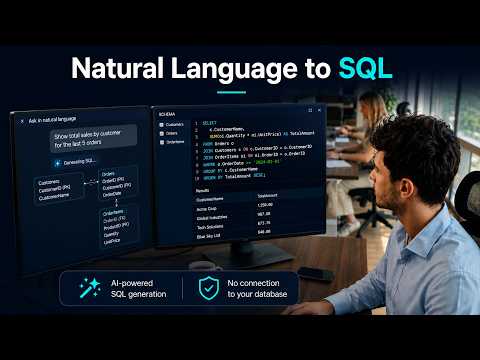
Review your database structure and table relationships, then generate SQL tailored to that context without connecting AI directly to your database.
Relationship-aware context
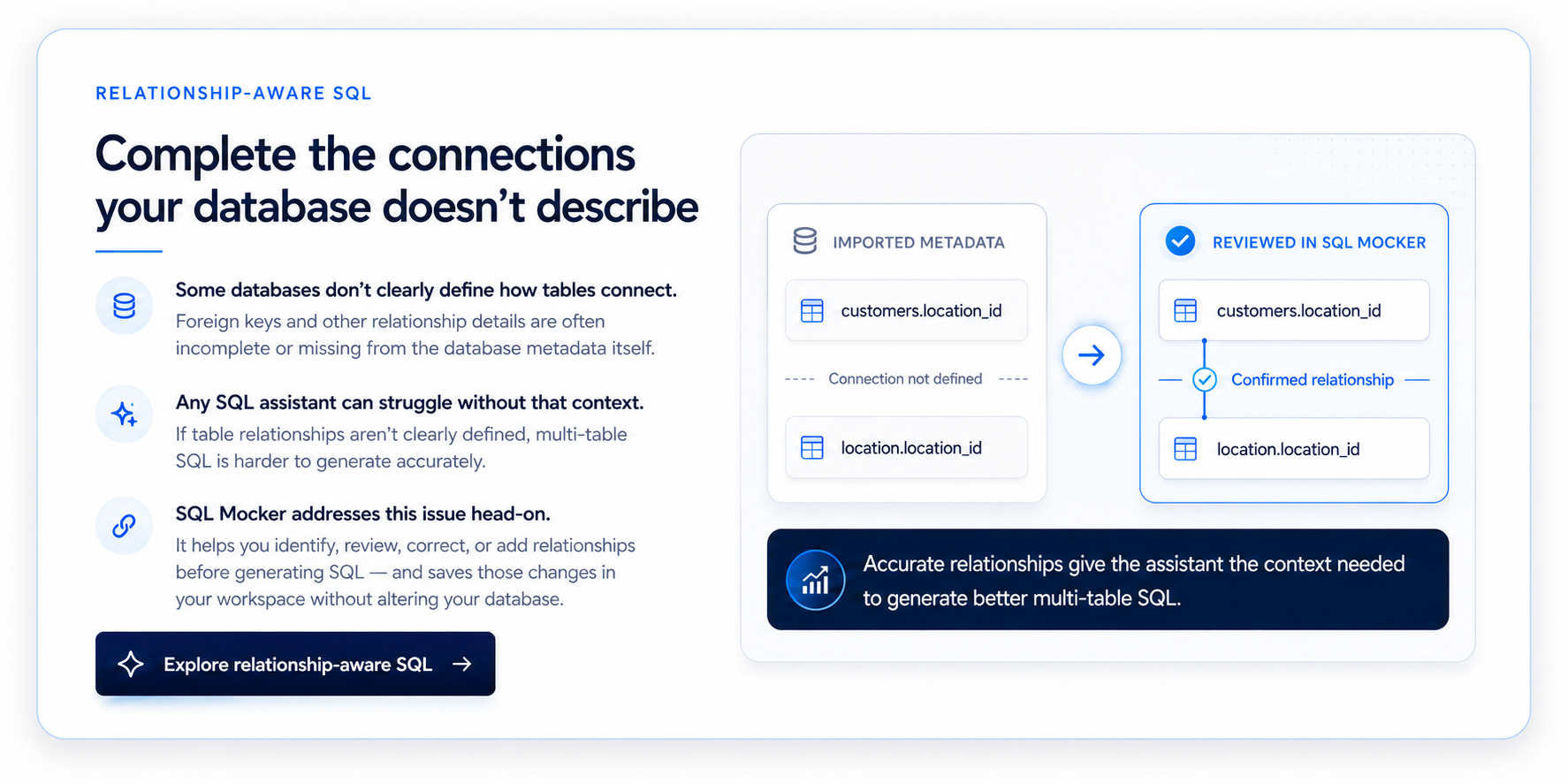
Review tables, columns, keys, and known relationships. When connections are missing, investigate the available evidence and confirm only the relationships that match your understanding of the schema.
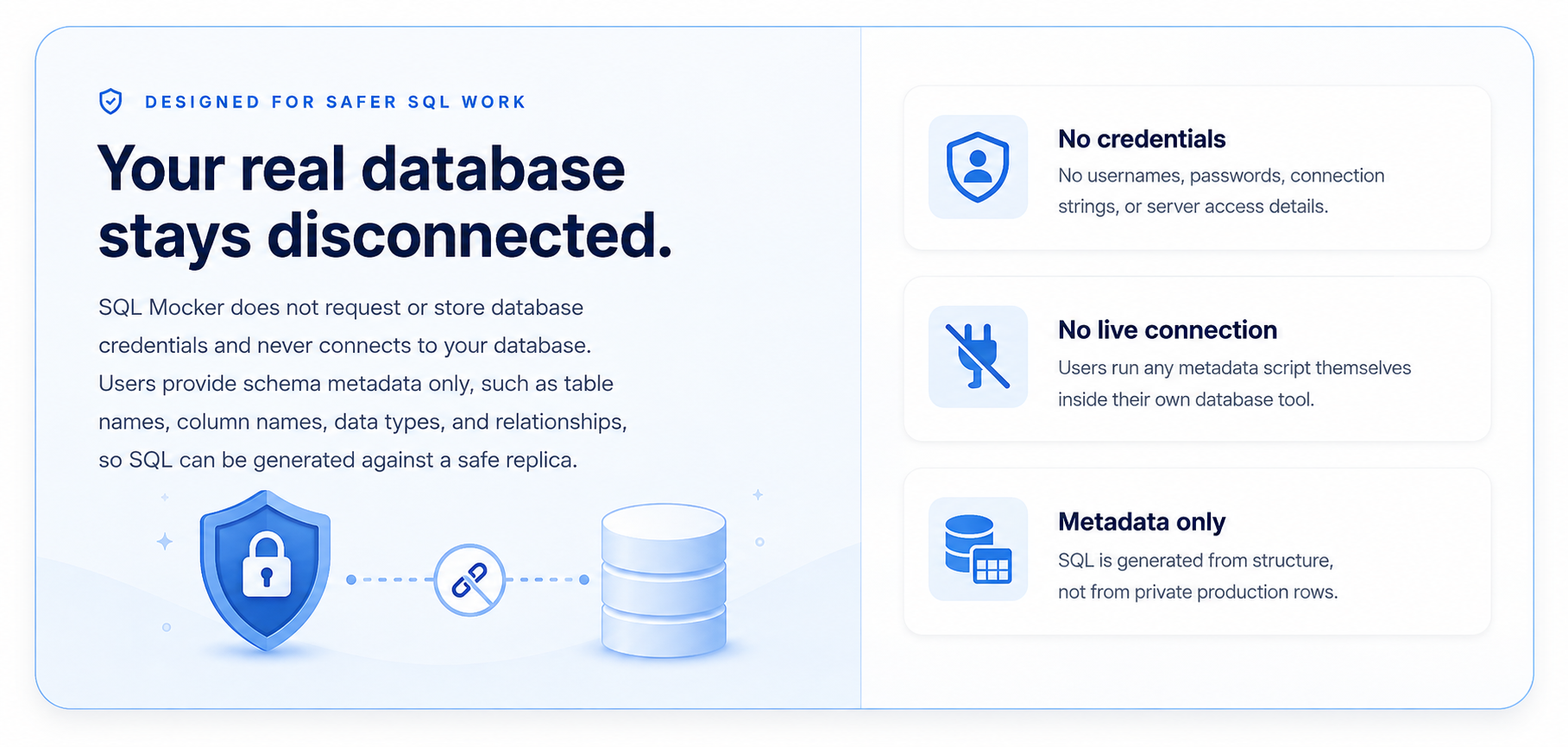
Designed for safer SQL work
SQL Mocker works from the schema metadata you provide and does not request database credentials or connect directly to your live database.
Why SQL Mocker
SQL work often means searching unfamiliar schemas, tracing joins, debugging queries, and explaining code to others. SQL Mocker brings those steps into one guided workspace while keeping final review and validation in your hands.
Move from database structure or existing SQL to a reviewable query faster.
Use the relationships already defined in your database, and fill in missing ones where metadata is incomplete or unclear.
Ask questions in natural language and receive SQL tailored to the tables, columns, and relationships you reviewed.
Work from schema metadata and generated dummy data without sharing database credentials or private production rows.
How it works
Four guided steps. No direct database connection.
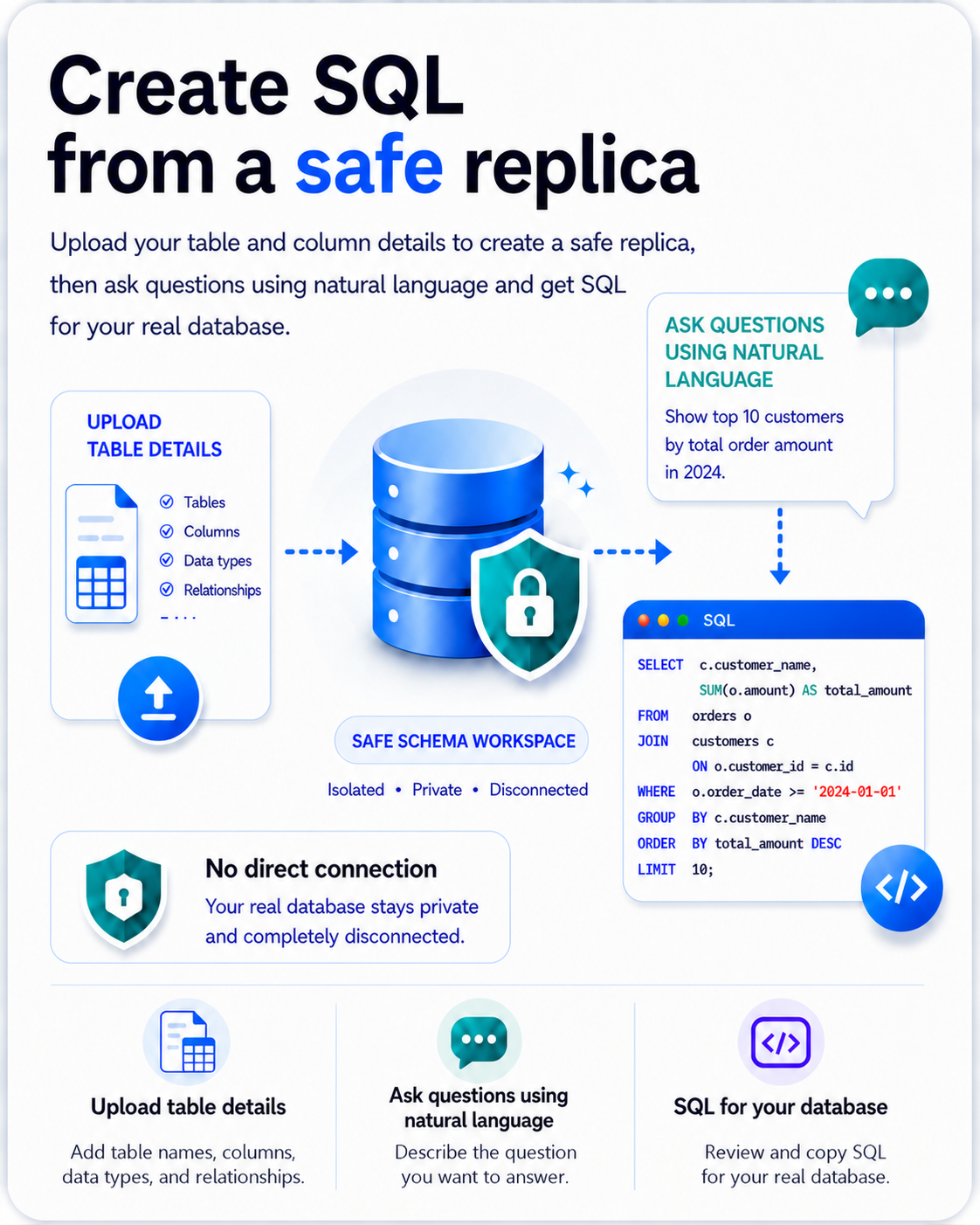
Generate a metadata script to run in your own database, or upload an existing schema file.
Check tables, columns, keys, and suggested relationships. Correct or add connections as needed.
Describe the data you need in natural language. SQL Mocker uses the reviewed schema as context.
Inspect the query and preview results with dummy data before running it in your own database.
Quick guides
Short, focused walkthroughs for navigating your schema and writing more precise prompts.
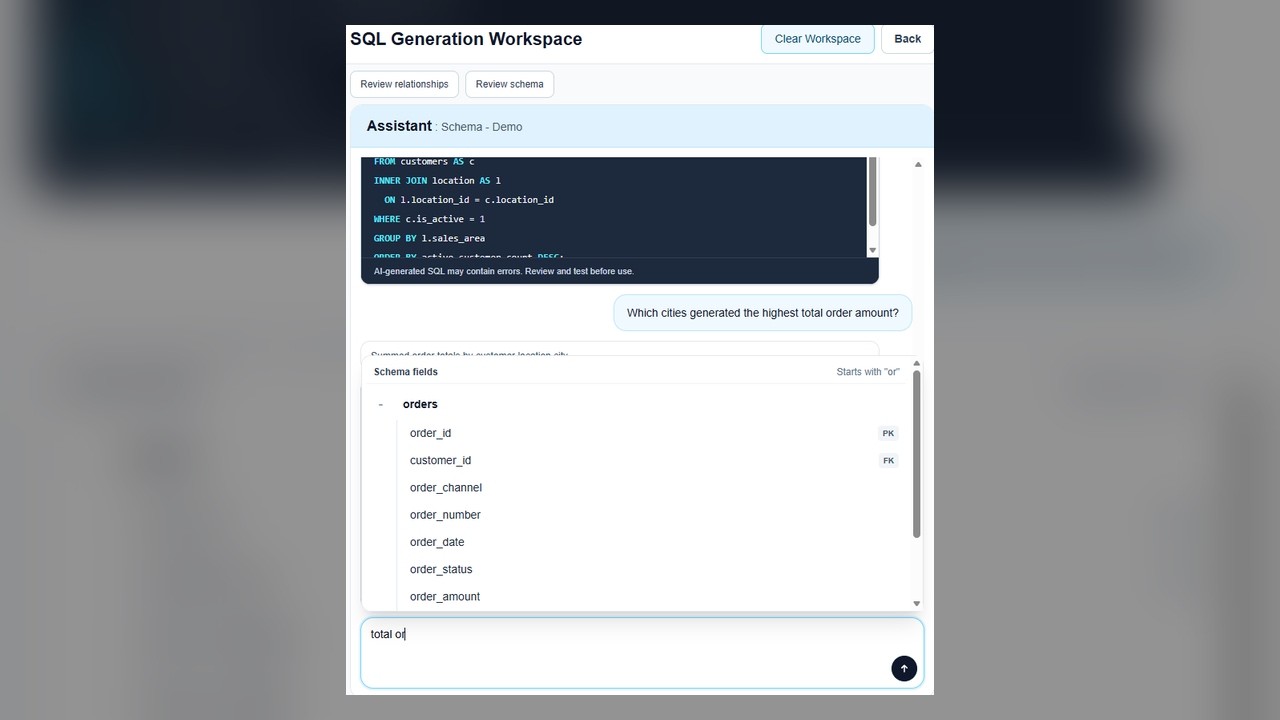
Search available tables and columns as you type, then select the fields you need without leaving your prompt.
Watch short demoGenerate a schema metadata extraction script, review detected tables and relationships, then create SQL tailored to your database structure.
Watch short demo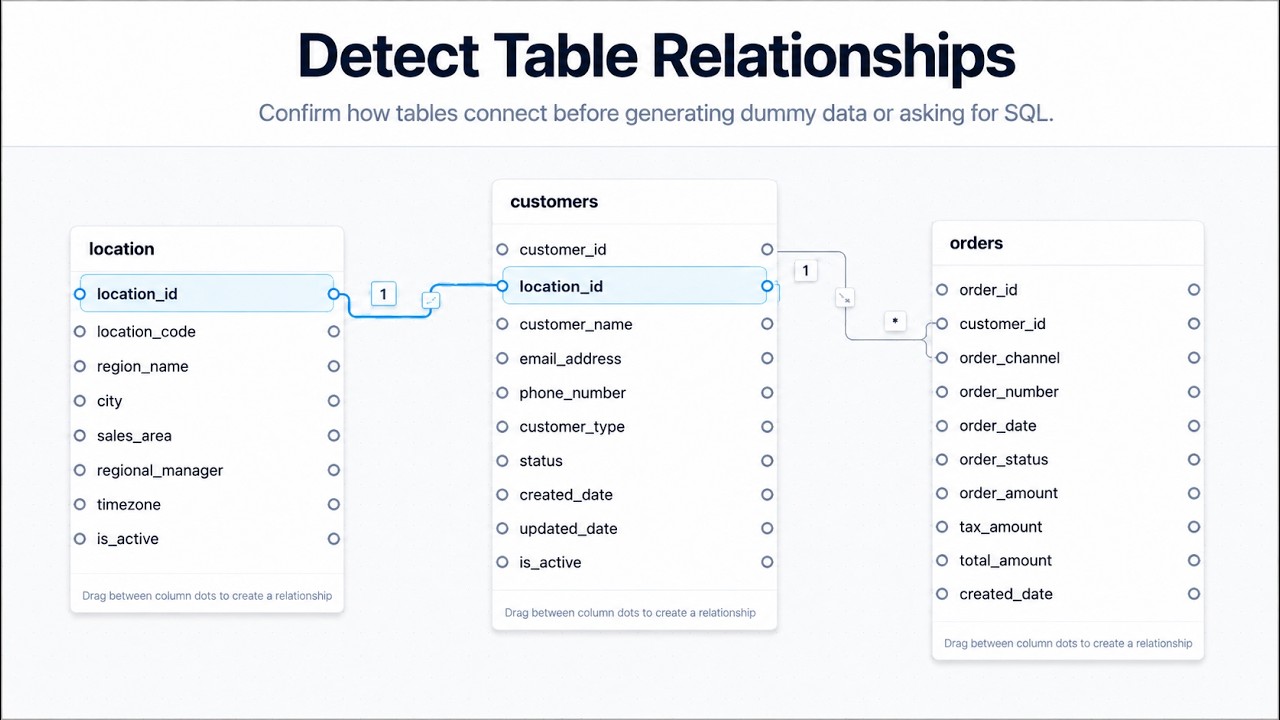
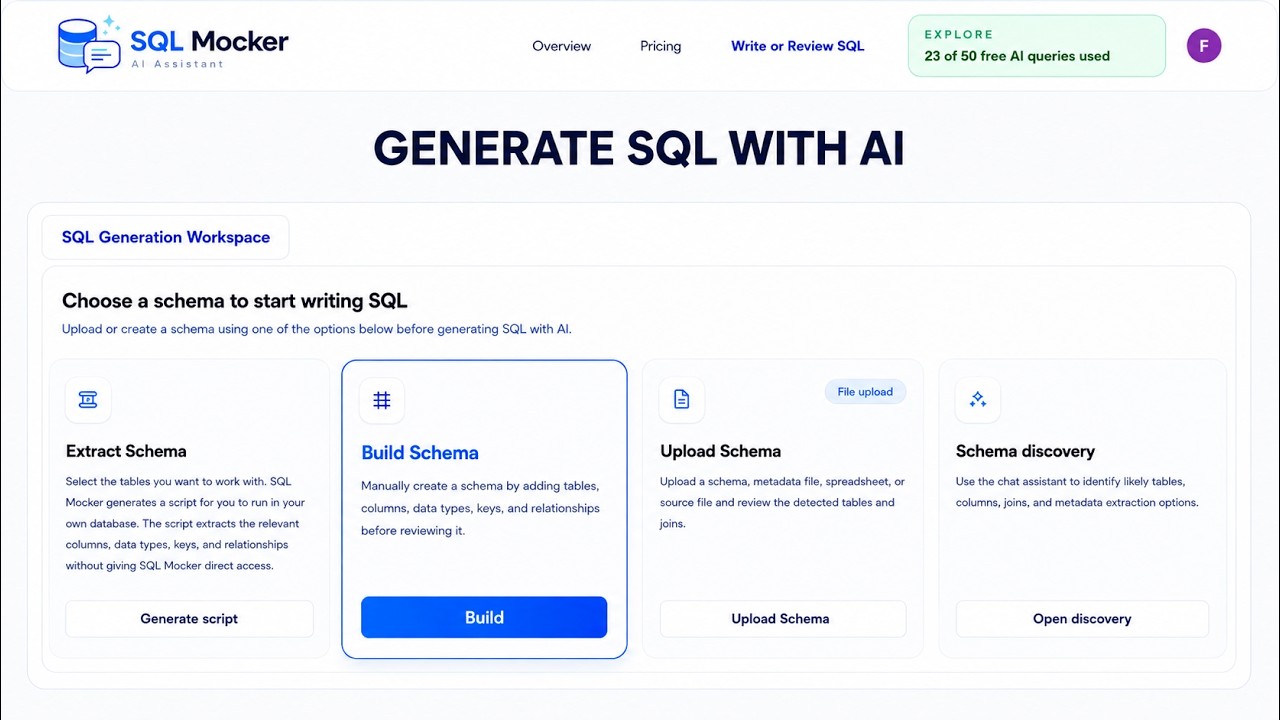
Add tables, columns, data types, keys, and relationships, then generate SQL tailored to the schema without connecting AI directly to your database.
Watch short demoAdd tables from your database to an existing workspace, review the detected columns, keys, and relationships, then generate SQL using the expanded schema.
Watch short demo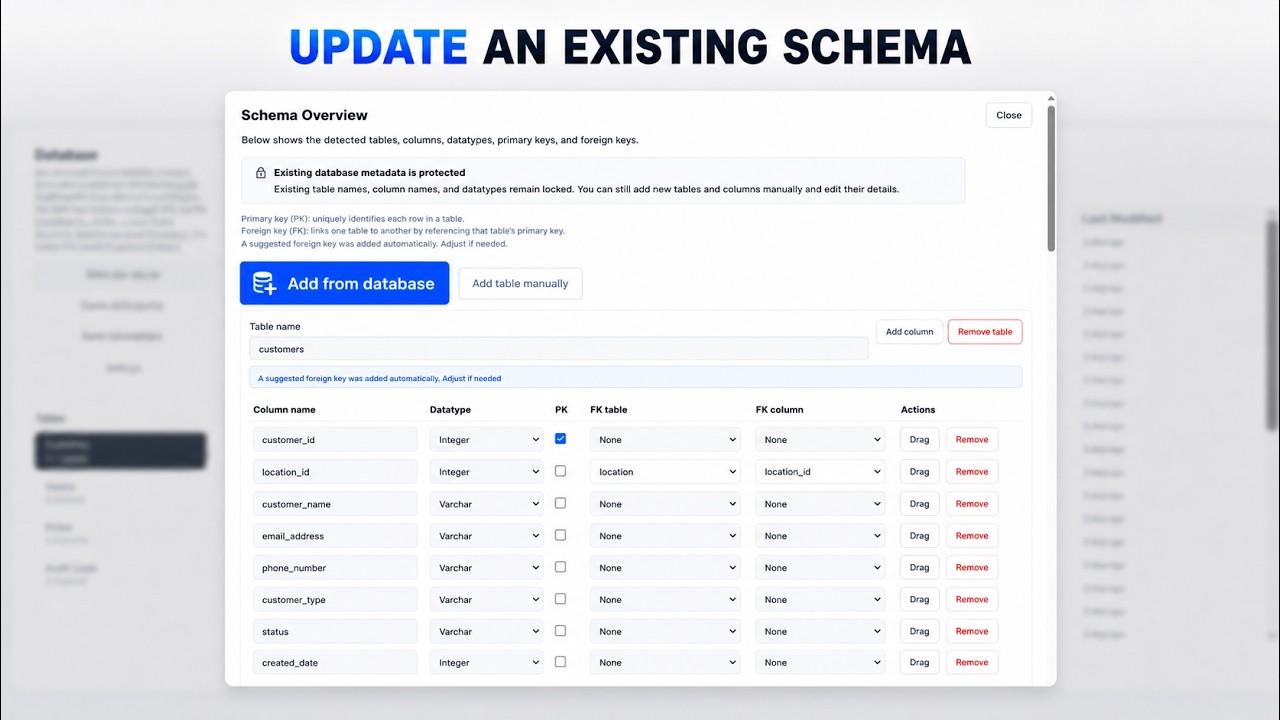
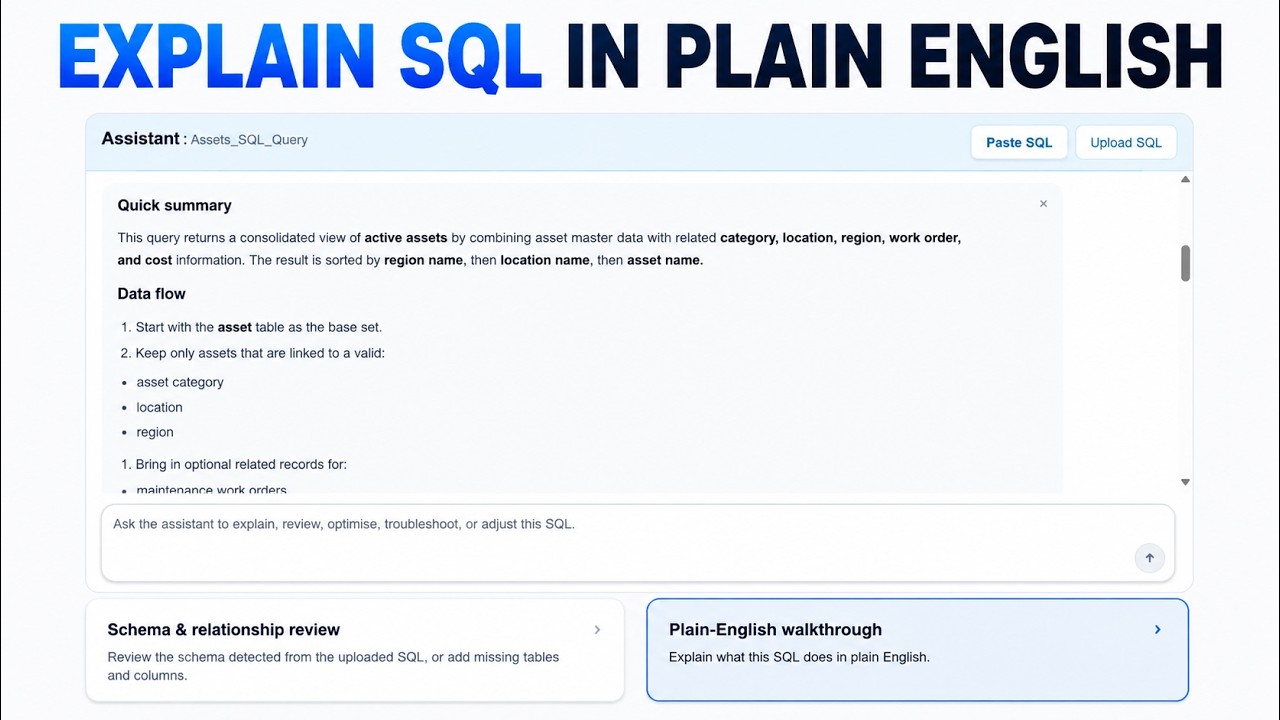
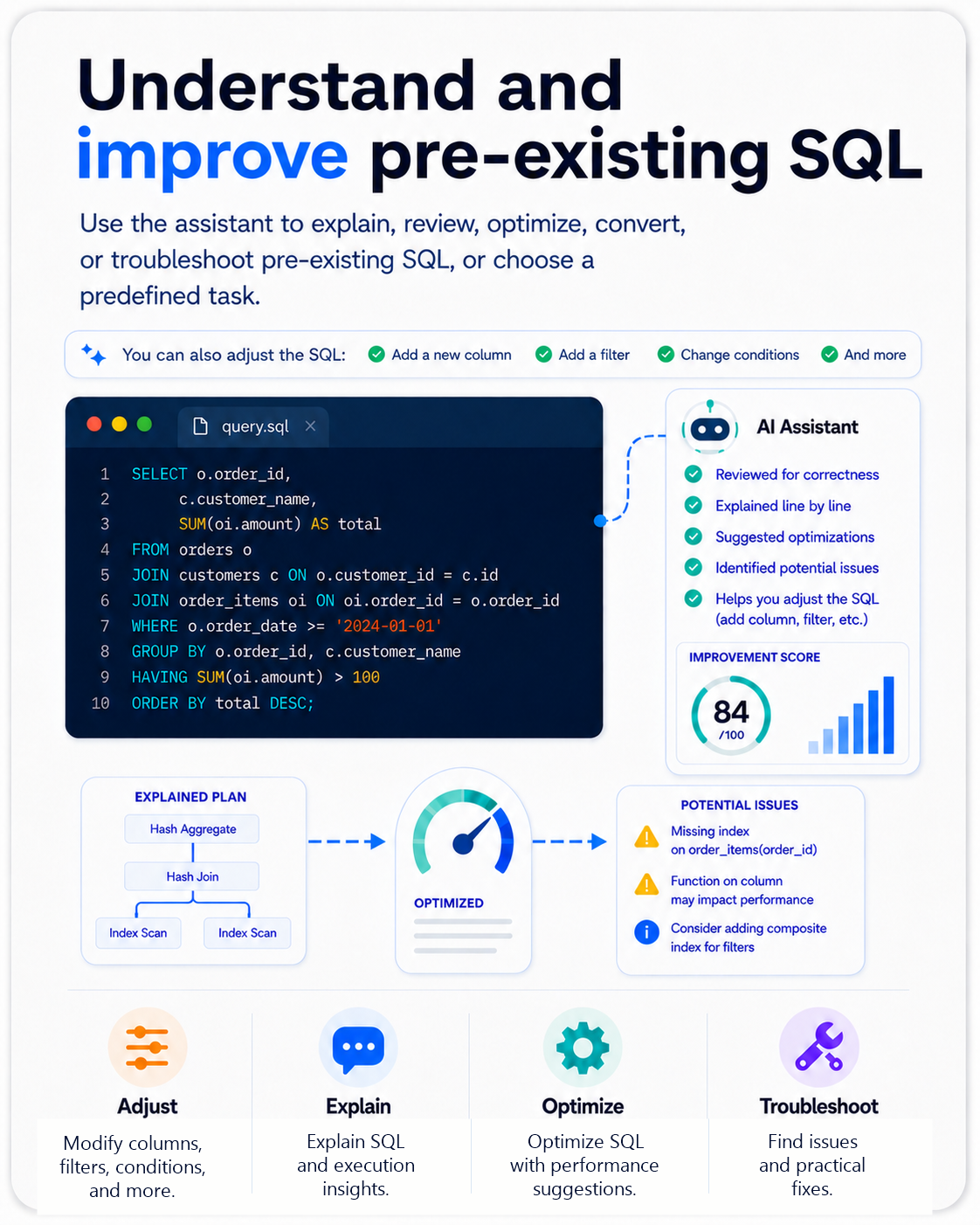
Upload or paste an existing query, then generate a clear walkthrough of its purpose, data flow, joins, filters, calculations, output columns, and potential issues.
Watch short demoBreak existing SQL into its tables, columns, and relationships so you can hide or remove output fields, add fields from another table, and update the query.
Watch short demo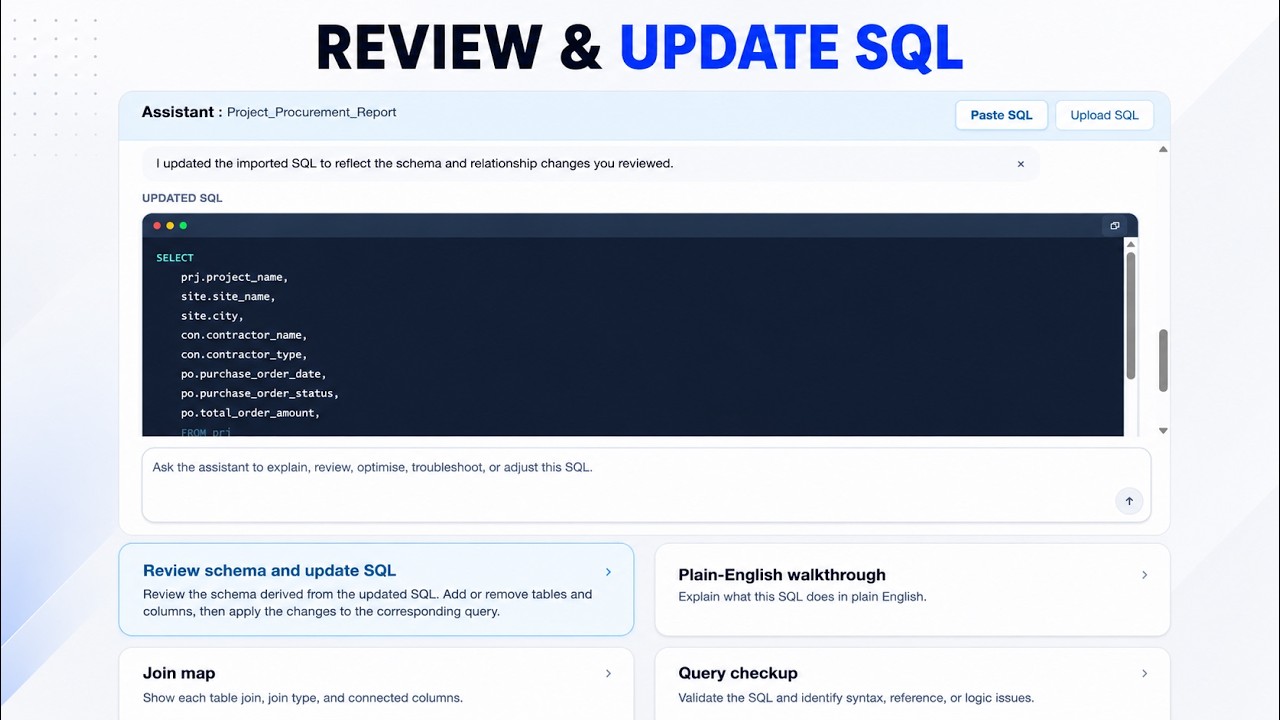
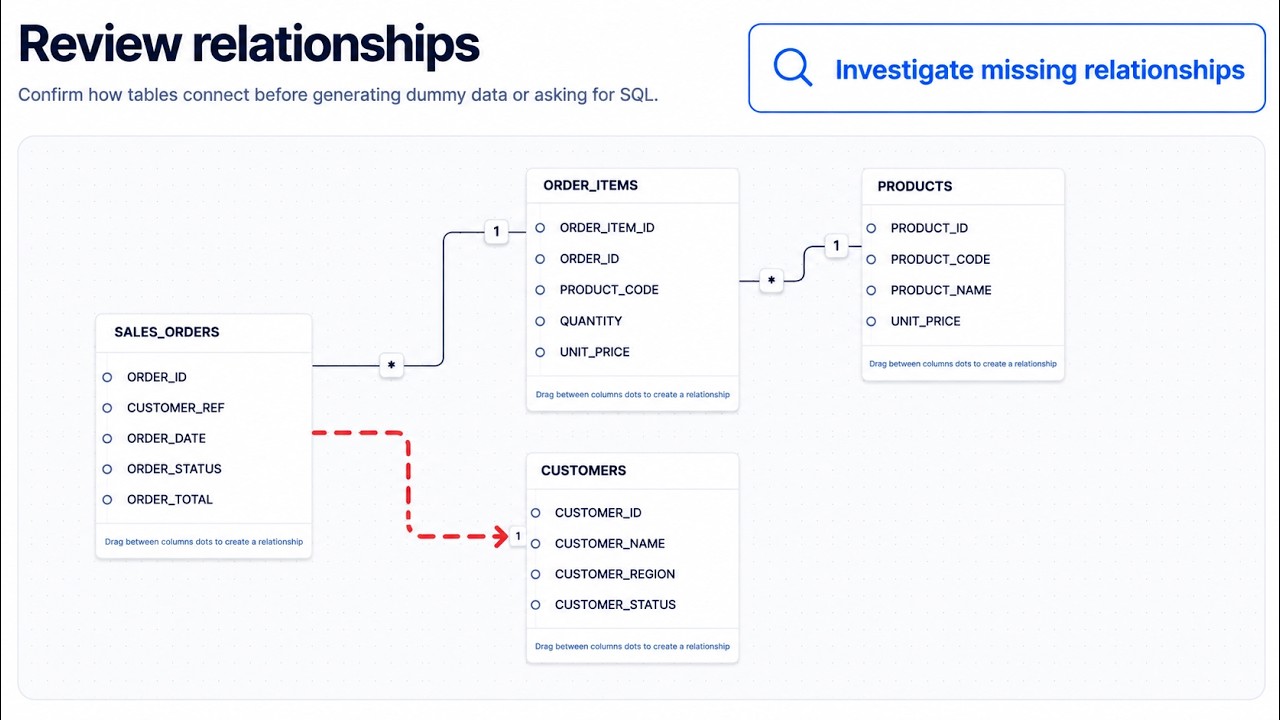
Investigate disconnected tables, validate evidence-based relationship candidates, and add confirmed connections to the workspace without changing the source database.
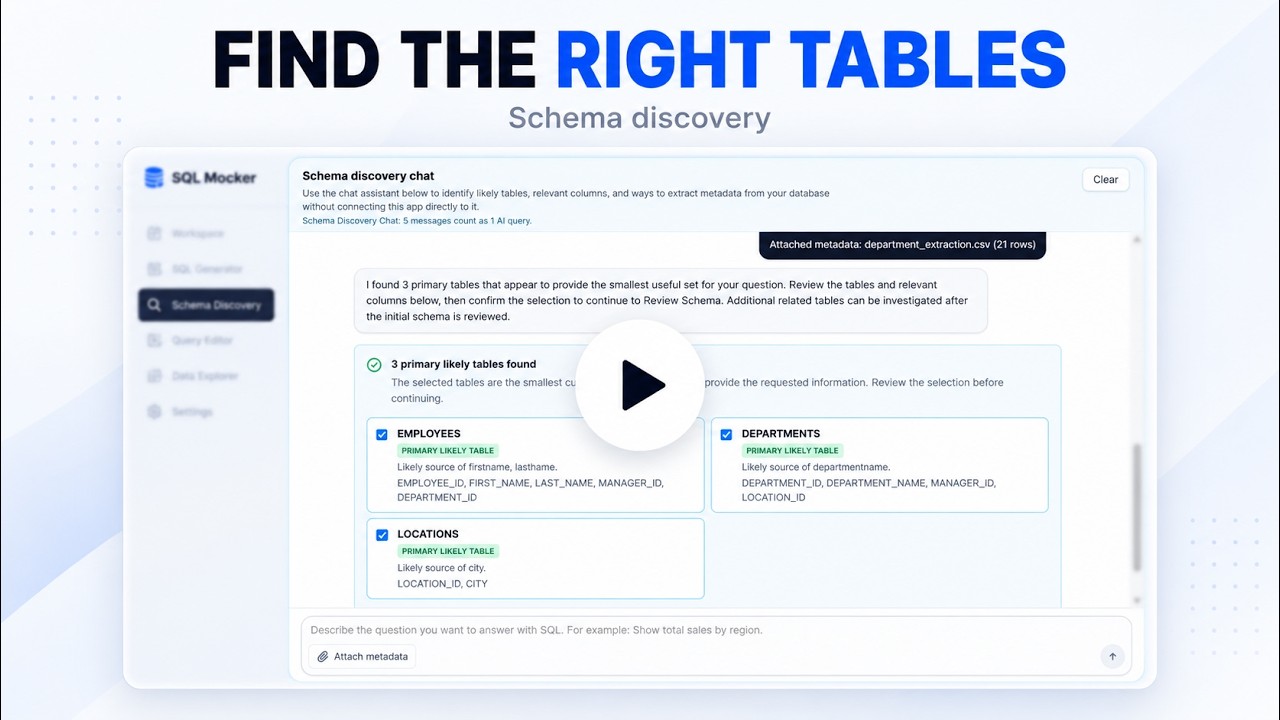
In this Oracle demo, SQL Mocker uses Schema Discovery to identify relevant tables, columns, and relationships from metadata, then generates multi-table SQL from the reviewed schema.
Watch the complete SQL Mocker walkthrough, including creating SQL from a safe schema replica and reviewing and improving pre-existing SQL.
Watch full demo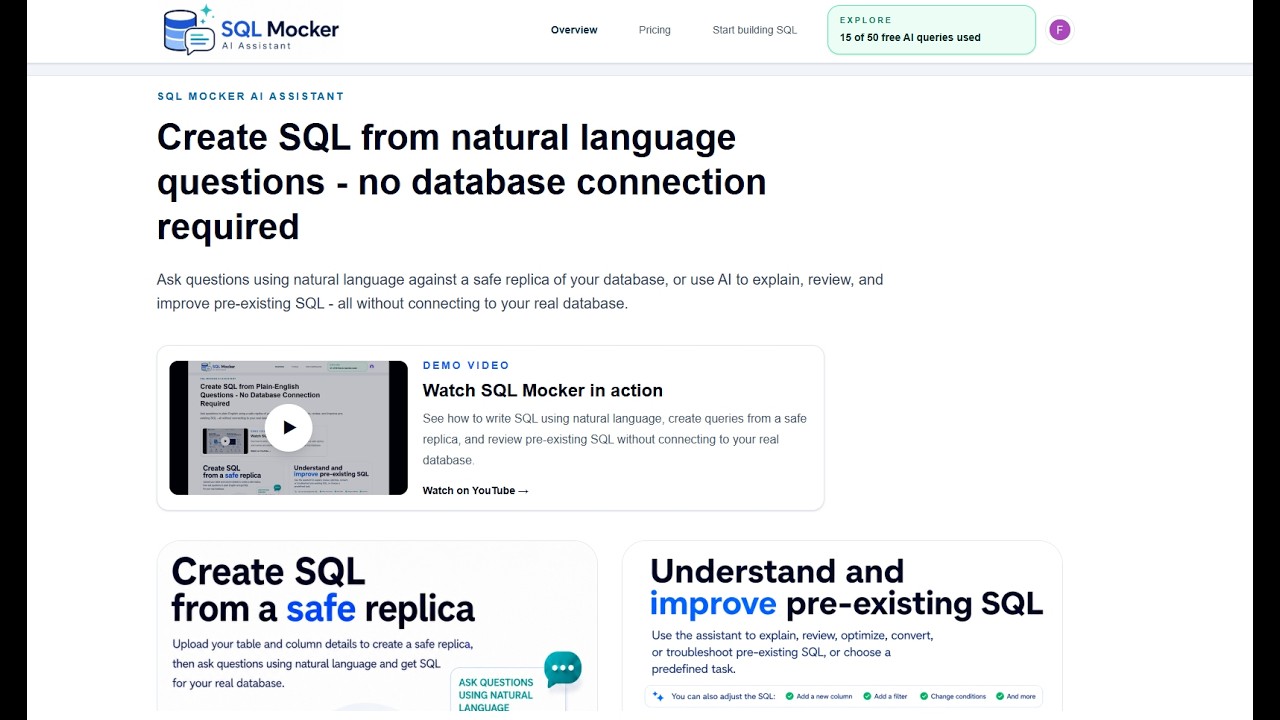
Dedicated use-cases
See how SQL Mocker helps Power BI users create SQL using natural language, review tables, columns and relationships, and prepare a cleaner dataset before connecting to a database.
View Power BI use case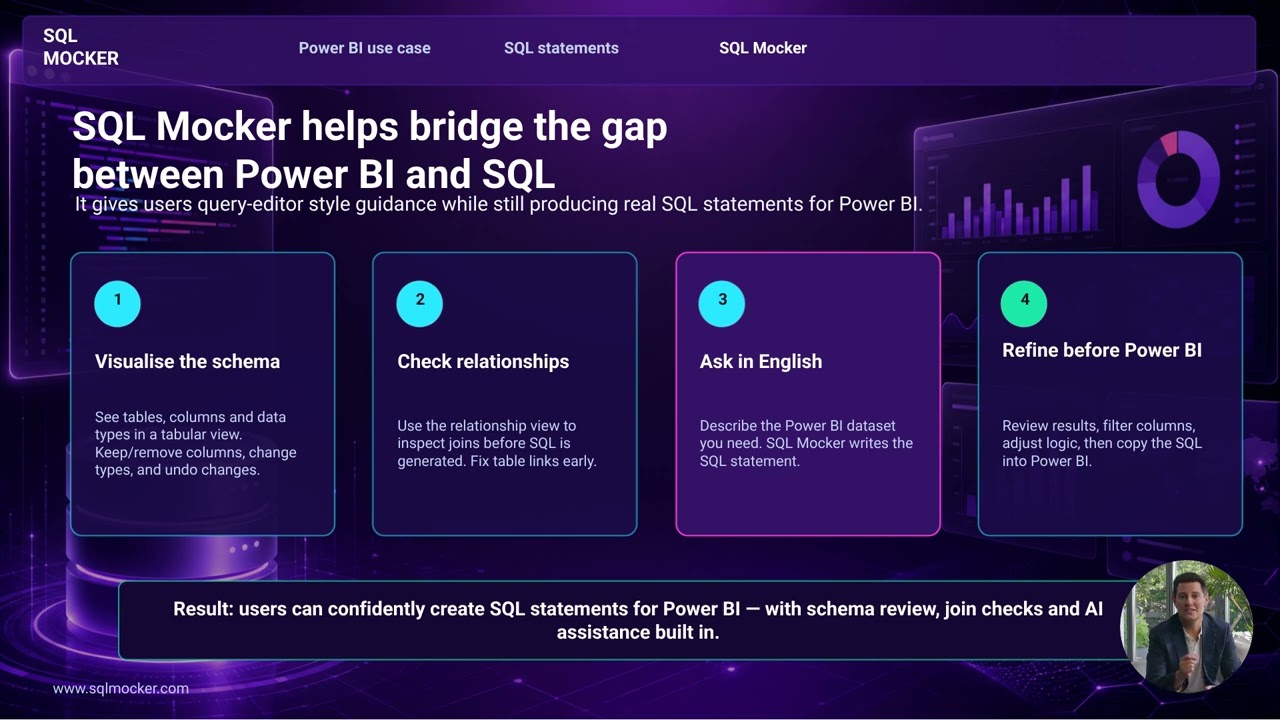
Database support
Select your database system and SQL Mocker adapts its schema, relationship, and SQL workflows to the platform you use.
Supported systems: Microsoft SQL Server, PostgreSQL, MySQL, Oracle, SQLite, MariaDB, Snowflake, Google BigQuery, Amazon Redshift, Databricks, SAP HANA, IBM Db2, Teradata, Microsoft Access, ClickHouse, DuckDB, MongoDB.
Showing Microsoft SQL Server, 1 of 17.
SQL Mocker helps you create SQL from natural-language questions by using a safe schema replica made from table names, column names, data types, and relationships.
No. SQL Mocker does not request database credentials and does not connect to your live database. You provide schema metadata, then SQL Mocker generates SQL against that structure.
Usually table names, column names, data types, primary keys, and relationships. You can upload a schema file, paste metadata, build a schema manually, or generate an extraction script to run yourself.
No. The app generates dummy data from your schema so you can test prompts and inspect results without exposing real records.
Yes. You can upload pre-existing SQL and ask the assistant to explain, review, improve, format, convert, troubleshoot, or map the output columns and joins.
Many SQL AI tools either connect directly to your database or generate queries from prompts without first giving you a safe place to test the logic. SQL Mocker uses your schema, relationships, and sample data context to help generate, test, refine, and troubleshoot SQL before you use it in your real database.
Saved projects are synced to your SQL Mocker account and cached in the browser on your device. You can also create a backup file from History and save it to your PC.
SQL Mocker supports 17 database systems: SQL Server, PostgreSQL, MySQL, Oracle, SQLite, MariaDB, Snowflake, BigQuery, Amazon Redshift, Databricks, SAP HANA, IBM Db2, Teradata, Microsoft Access, ClickHouse, DuckDB, and MongoDB. If your system is not listed, select Other and enter its name or SQL dialect.
The assistant needs accurate table and column names, keys, and relationships to generate SQL tailored to your database structure. Reviewing them helps prevent missing columns, incorrect table connections, duplicate rows, and inaccurate aggregations.
Many real-world schemas have missing or undeclared primary and foreign key relationships. Without reliable table connections, generating accurate multi-table SQL becomes much harder. SQL Mocker analyses the available metadata to suggest likely relationships and lets you review, correct, or create connections manually before generating SQL. These workspace changes do not alter your real database.


